

For parts of the United States, sweater weather is officially here, and with it comes an increasingly frenetic pace of to-do's as we approach the holiday season. Old St. Nick is not the only one making a list and checking it twice—our co-founder Heather has already started a list of recipes (and ingredients!) needed to pull off a family Thanksgiving feast, and we know she is not alone.
Here at Artifcts, we want to help you reclaim the joy (and meaning!) that goes along with the holidays all season long. Our starting point? Our kitchens, and more specifically with our cookbooks and recipes, because chances are the recipes that we make and love are not solely about the ingredients, but about the memories, traditions, and family stories that make the holidays so special.
Why it matters: cookbooks, recipes, and memories
It might surprise you that in researching this story we discovered that the average American family owns at least 15 cookbooks, and that three in ten women have a cookbook collection, according to Morris Cookbooks, the largest cookbook publisher in the US. Informal online discussions meanwhile suggest many households own dozens—or even hundreds—of cookbooks, far surpassing the “average.”
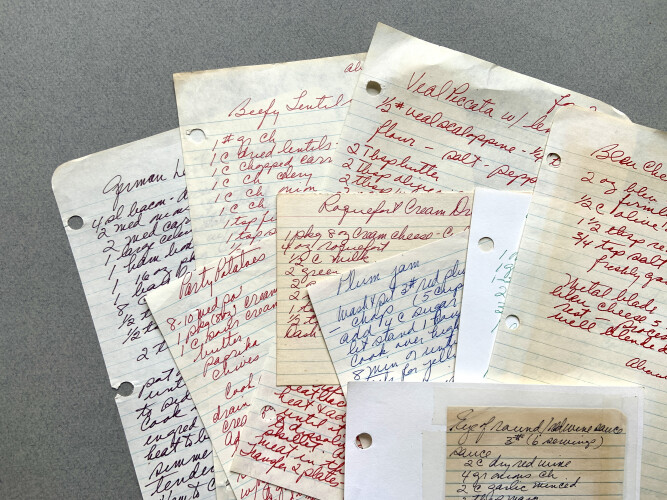
Why does that matter now, especially as we head into the holiday season? Because recipes aren’t just instructions. Researcher Eleonora Sava highlights this point in her 2021 article titled, Family Cookbooks—Objects of Family Memories. Sava describes recipes and cookbooks as objects of memory as they record more than ingredients and steps. According to Sava, cookbooks capture handwriting and family tastes, and link generations through the act of cooking.
And as the holidays approach—when families gather, when traditional dishes make their annual appearance, when memories of past celebrations resurface—the meaning of a recipe goes far beyond the kitchen. A dish becomes a link to a grandparent, a holiday table, a childhood kitchen smell, or a moment of togetherness.
So how can you best preserve those family traditions in an organized, shareable way—especially heading into the holidays? Hello Artifcts!
Artifcts allows you to capture not only the recipe itself, but its origin, stories about the person who made it, the holiday or event it was tied to, notes (handwritten or digital), and even things like family anecdotes, ingredient variations, or why it matters to you. With Artifcts, a recipe becomes far more than a page in a cookbook—it becomes a shareable, searchable, multimedia keepsake.
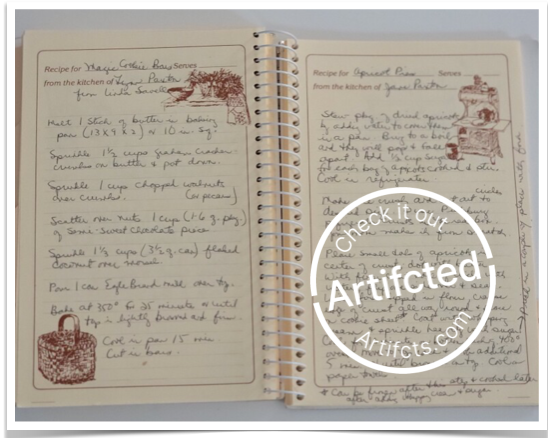 Click the image to view Matt Paxton's family cookbook that he Artifcted.
 How to Artifct your recipes to preserve traditions, stories, and memories
Intrigued? Want to give it a try? We’ve compiled the below step-by-step guide to help you begin Artifcting your family recipes and preserving your culinary heritage ahead of the holidays:
1. Gather your recipes and the accompanying keepsakes
- Pull together all the physical and digital items.
- Don’t forget handwritten index cards, printed family cookbooks, scraps of parchment with notes, old magazine cut-outs, even photos of the dish or the family moment.
2. Photograph the key items you want to include in the Artifct
- Don’t worry, you can always go back and edit it if you forget something!
3. Add the story behind each recipe
- Who cooked it originally?
- When/where was it typically served? (Holiday dinner each December, Sunday brunch, etc.)
- What makes it special? The ingredient twist? The aroma? The family joke tied to it?
- Write (or record video or audio) short anecdotes: “I remember the year the turkey caught fire and we still served this cranberry relish…”
- Photograph: The dish itself, the handwritten card, the cook in action, the table-setting from past years.
4. Organize, organize, organize
- Use Categories (Home → Recipes and Occasions → Holidays)
- Create custom tags to easily sort and search, e.g., #MomsRecipes, #FamilyFavorite, #Handwritten, #Thanksgiving2026, etc.
5. Share and invite contributions
- Privately share recipes with relatives (near or far) via link or invite.
- Give loved ones “Editor” access so they can collaborate and even add variations or their own memories, if you want them to.
You might discover after Artifcting your family recipes you may be willing (or able) to downsize and declutter your cookbook collection. Consider retaining the cookbooks you actively use, the sentimental ones, and let others go (donate, recycle, give away) knowing your family’s tradition lives on in your Artifcts collection. This is especially helpful ahead of holidays, when you may want to free up space, reduce clutter, simplify your kitchen area and keep the heart of your culinary heritage intact.
Why Artifcting wins vs. pure cookbooks
- Shareability: Traditional cookbooks are fine for the in-house chef, but sharing them across generations, branches of the family, or geographically separated relatives is harder. With Artifcts, you can privately share with cousins, grandchildren, or nieces and nephews, invite contributions, and access from anywhere.
- Context & story: A cookbook often gives you a title, ingredients, steps—but rarely the story: “why Grandma always added nutmeg,” or “how this dish saved the day when the oven broke on Christmas Eve.” Artifcts preserve the memory, not just the mechanics.
- Searchable & customizable: You can tag by holiday, ingredient, dietary restriction, chef-in-the-family, etc. Over time you build an archive that you can browse by event or person—far more flexible than a static bookshelf.
- Space & organization: If your cookbook collection is growing unwieldy (shelves overflowing, dusting stress), Artifcting gives you a chance to digitize key recipes + stories, reduce physical clutter, and still keep the heritage alive. It’s a win-win: fewer books, more meaning.
- Legacy and future-proofing: Physical cookbooks may fade and get lost; handwritten cards may deteriorate. A thoughtfully maintained digital archive ensures these traditions aren’t lost, even if a physical book is damaged or thrown out. This matters especially for holiday-linked dishes that may only appear once a year.
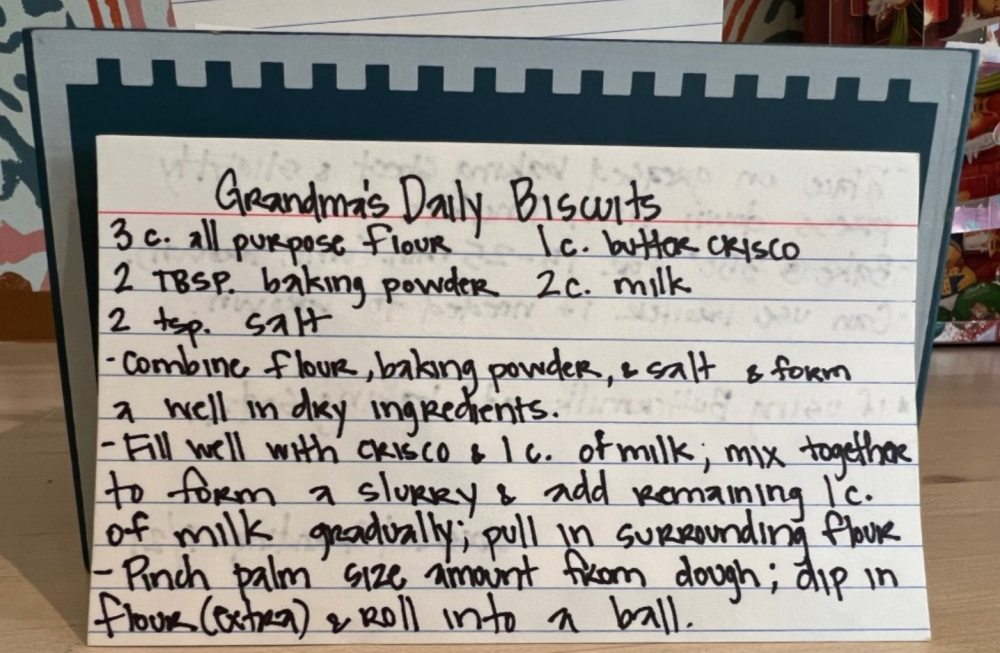 A very memorable Artifct, complete with an instructional video from Grandma herself!
Final thoughts
Family recipes are more than just good food. They are the threads that weave together generations, holidays, kitchens, stories, aromas, and memories. As Sava noted in her article on family cookbooks: “The family cookbook becomes an album of memories… the handwriting may summon the image of the person who wrote that recipe.”
By taking the time now—before the holiday rush—to Artifct your cherished recipes, you’ll be gifting your family a legacy of meaning as well as a well-curated digital archive rich with stories, photos, and flavors. It’s he kind of heirloom that can travel across generations far easier than a shelf-full of cookbooks.
So, pull out your recipe box, gather those favorite dishes, invite your family to tell you the “why” behind them—and get started preserving your traditions, one recipe at a time.
###
Looking for more tips on HOW to Artifct your recipes? Check out our guide, How to Artifct Recipes to help you get started.
© 2026 Artifcts, Inc. All Rights Reserved.